Overview
Have you ever wondered what the very first song you streamed on Spotify was? Or how many unique songs you've listened to over the years? Spotify is celebrating its 20th anniversary by launching a new mobile-only feature called Spotify 20: Your Party of the Year(s). This experience goes beyond the annual Wrapped recap, offering a deep dive into your all-time listening history. In this guide, you'll learn exactly how to access and explore your personal stats, including your first streamed song, your all-time most-streamed artist, and a curated All-Time Top Songs Playlist.
Prerequisites
- A Spotify account (free or premium) with at least some listening history.
- The Spotify mobile app (iOS or Android). This feature is not available on the desktop or web version.
- An updated version of the Spotify app (make sure you have the latest release from the App Store or Google Play Store).
Step-by-Step Instructions
Step 1: Update Your Spotify App
Before you begin, ensure your Spotify app is up-to-date. Go to your device's app store (App Store for iOS, Google Play Store for Android) and search for Spotify. If an update is available, tap Update. This step is critical because the anniversary feature is being rolled out gradually and requires the latest version.
Step 2: Open the Spotify App on Mobile
Launch the Spotify app on your smartphone or tablet. The feature is exclusively available on mobile, so don't attempt to use a computer or web browser.
Step 3: Navigate to the Anniversary Experience
There are two main ways to find Spotify 20:
- Home Screen Banner: On the Home tab, look for a banner or card that says “Spotify 20: Your Party of the Year(s)” or something similar. Tap it to enter.
- Search: If you don’t see the banner, tap the Search icon (magnifying glass) and type “Spotify 20” or “Party of the Year”. The feature should appear as a search result. Tap on it.
Step 4: Explore Your All-Time Stats
Once inside the experience, you'll see a series of personalized insights. Swipe or scroll through the cards to discover:
- Your first song ever streamed on Spotify – the very first track you played after creating your account.
- Your all-time most-streamed artist – the artist you’ve listened to the most over the past 20 years.
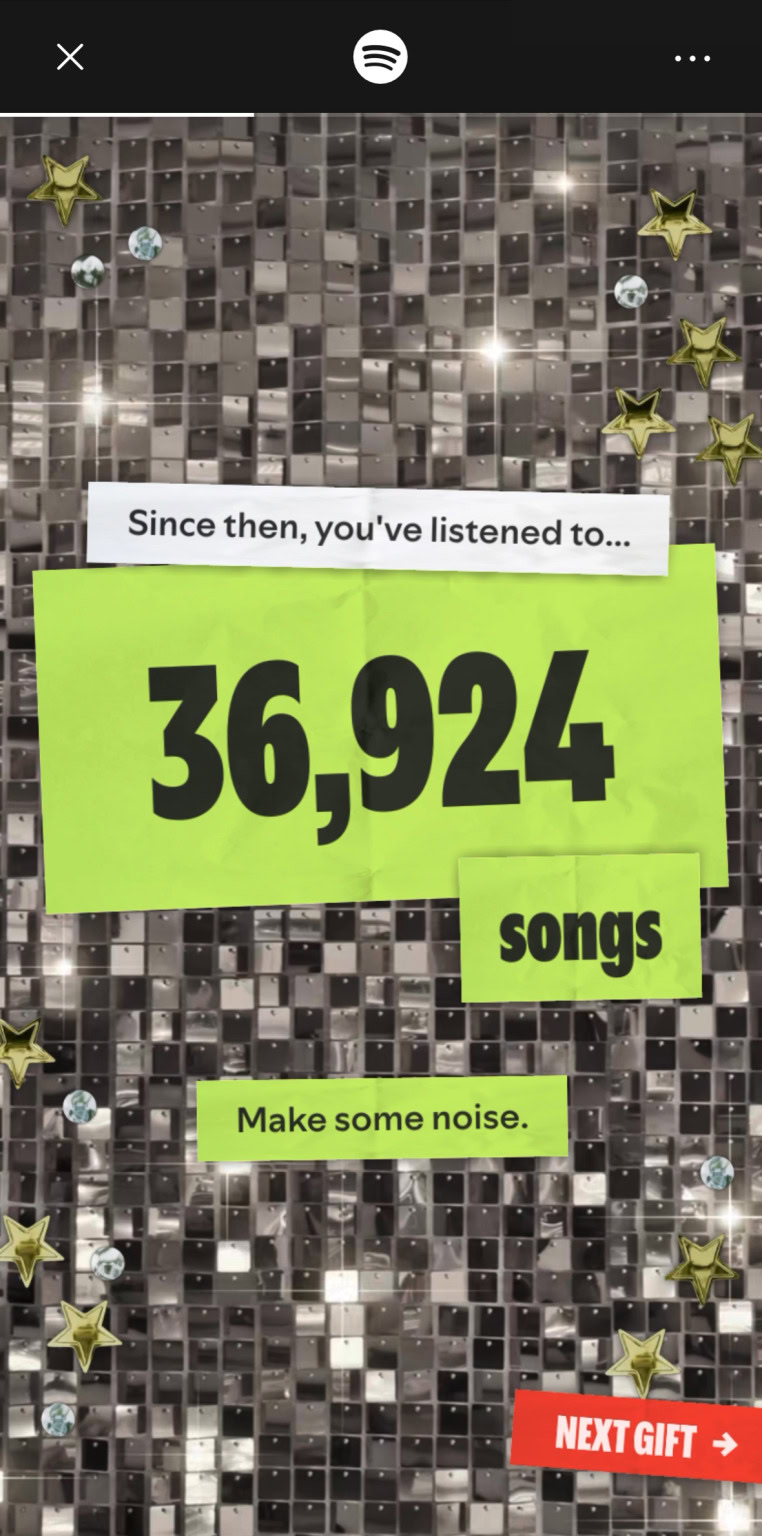
- Total number of unique songs you’ve streamed since joining Spotify.
- Your all-time top genres and other listening milestones.
Step 5: Save Your All-Time Top Songs Playlist
At the end of the experience, you'll be presented with an All-Time Top Songs Playlist – a curated list of your most-streamed tracks from the past 20 years. Tap the Save to Library button (or similar) to add it to your playlists. You can then access it anytime from your library.
Step 6: Share Your Stats (Optional)
Spotify makes it easy to share your anniversary stats. Look for a Share icon (usually an arrow or three dots) on each stat card. Tap it to generate an image or link that you can post on social media or send to friends.
Common Mistakes
- Not updating the app: The anniversary feature won’t appear if you’re running an older version. Always check for updates first.
- Looking on desktop: This is a mobile-only experience. Even if you use the web player or desktop app, you won’t find it there.
- Expecting Wrapped-style stats for each year: The Party of the Year(s) focuses on all-time cumulative stats, not annual breakdowns like Wrapped does.
- Thinking it’s available immediately: The rollout is gradual, so if you don’t see it today, check back in a few days. The feature should be live for all users by the end of the anniversary week.
Summary
Spotify’s 20th anniversary experience offers a nostalgic and data-rich look at your entire listening history on the platform. By following the steps above—updating your app, accessing the mobile-only feature, and exploring your stats—you can uncover your first song, top artist, and more. Don’t forget to save your All-Time Top Songs Playlist and share your findings. This is a one-of-a-kind celebration that makes for great conversation starters and personal reflections.