Overview
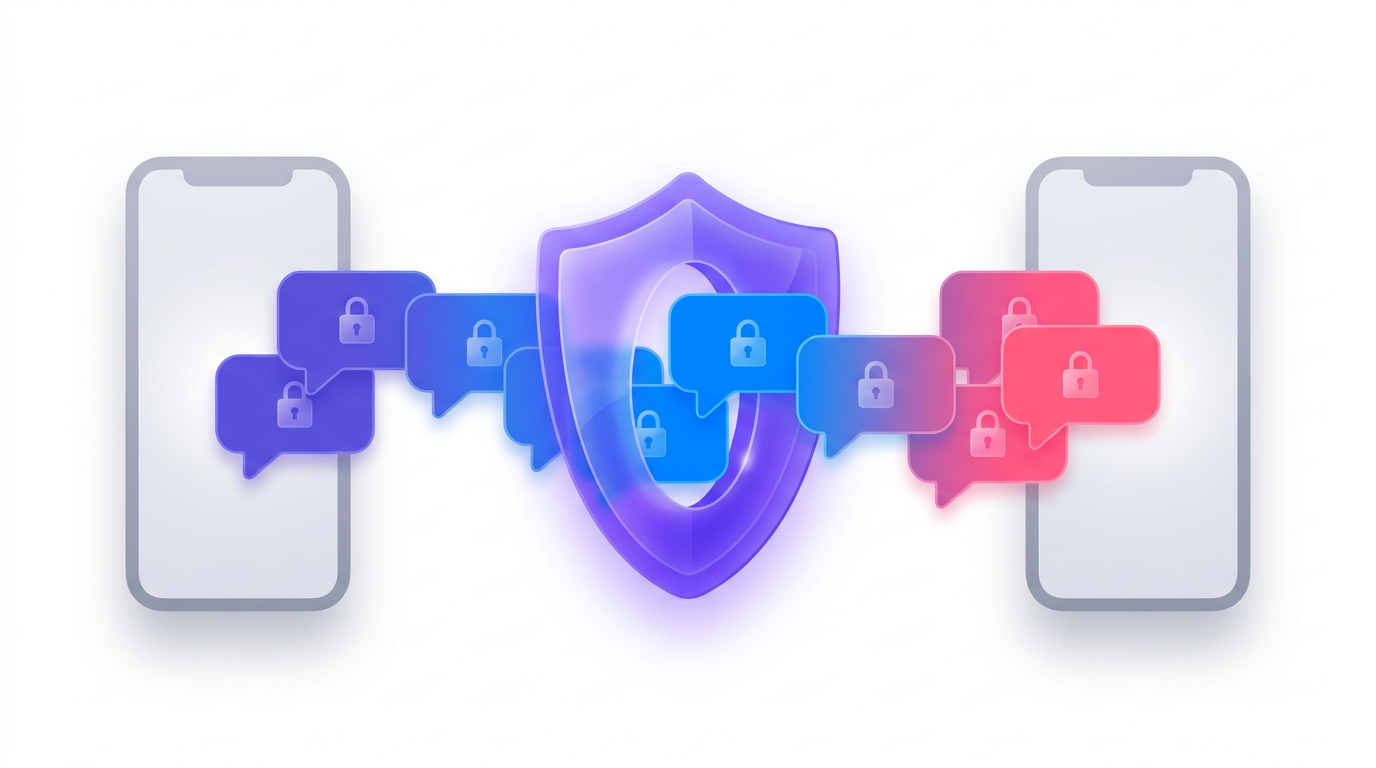
End-to-end encrypted (E2EE) messaging has become a gold standard for privacy, but ensuring that message history survives device changes, loss, or long absences remains a challenge. Meta's Labyrinth protocol, introduced in 2023 for Messenger's encrypted backups, was a pioneering step. Now, with Labyrinth 1.1, reliability is taken even further. This guide explains the new sub-protocol that lets messages be backed up in real-time as they are sent, rather than waiting for the recipient's device to come online. The result: your messages are safe even if you lose your phone, switch devices, or have a lengthy gap between sign-ins. Here, we'll walk through the architecture, implementation details, and best practices for leveraging this enhanced system.
Prerequisites
Understanding of End-to-End Encryption
Before diving into Labyrinth, you should be comfortable with fundamental E2EE concepts: asymmetric key pairs (public/private), symmetric encryption for message content, and key exchange protocols. A strong grasp of how Signal Protocol works is helpful, but not required.
Familiarity with the Labyrinth Protocol
The original Labyrinth white paper describes the encrypted storage system used for Messenger backups. You should understand its core mechanism: messages are encrypted with per-message keys that are themselves encrypted with the recipient's public key and stored in an encrypted backup container. Labyrinth 1.1 builds on this by introducing a sub-protocol for immediate key insertion.
Messenger E2EE Backups Context
In the pre-1.1 system, when a user sends a message, the encryption key was stored locally and only uploaded to the backup when the device came online. This created a window of vulnerability: if the device was lost before the upload, messages could be lost. Labyrinth 1.1 fixes this by having the sender place the message key directly into the recipient's encrypted backup at send-time.
Step-by-Step Implementation Guide
1. Setting Up the Encrypted Backup Infrastructure
Each Messenger user has a persistent encrypted backup store on Meta's servers. The backup is encrypted with a user-specific backup key derived from a strong passphrase or hardware-backed key. To enable the new sub-protocol, ensure that the backup service supports write operations from both the owner and authorized senders. Here's a high-level pseudocode for key generation:
// Generate backup key for user
user_backup_key = generate_key_from_passphrase(user_input, salt)
// Store encrypted backup containers
backup_container = create_encrypted_container(user_backup_key)
2. Enabling the Real-Time Backup Sub-Protocol
The core change in Labyrinth 1.1 is that when user A sends a message to user B, A's client does not wait. Instead, it immediately creates a message encryption key (MEK), encrypts the message, then encrypts the MEK with B's public backup key and inserts the resulting ciphertext into B's backup. This is like dropping a sealed envelope into a locked box only B can open.
// Sender-side process
mek = generate_random_key()
ciphertext = encrypt(message, mek)
encrypted_mek = encrypt(mek, user_B_public_backup_key)
// Write to B's backup via API
write_to_backup(user_B_id, encrypted_mek, ciphertext)
3. Wrapping a Message for Backup
Detailed steps:
- Create message payload: Encrypt the plaintext message with a fresh symmetric key (MEK) using AES-256-GCM.
- Protect the key: Encrypt the MEK with the recipient's public backup key (RSA-OAEP or ECIES). This ensures only the recipient can recover the message key.
- Assemble backup entry: Package the encrypted message and the encrypted MEK into a structured entry (e.g., JSON).
- Write to backup: Send the entry to the backup service endpoint. The service stores it in the recipient's encrypted container without ever seeing the plaintext.
4. Restoring Messages from Backup
When a user logs in on a new device or after a long absence, the backup is downloaded. The local Labyrinth agent decrypts each entry using the user's private backup key, recovers the MEK, then decrypts the message. The order of processing is:
// Recipient-side restore
for each entry in backup:
    mek = decrypt(entry.encrypted_mek, user_private_backup_key)
    message = decrypt(entry.ciphertext, mek)
    deliver(message)
Common Mistakes
Ignoring Key Rotation
If a user changes their backup key (e.g., after resetting their password), all existing encrypted MEKs become unrecoverable unless they are re-encrypted with the new key. Labyrinth 1.1 does not handle re-encryption automatically; clients must plan for periodic re-wrapping.
Assuming Instant Availability
Even though the MEK is inserted at send-time, network latency or server downtime can delay the write. Your implementation should handle write failures gracefully—perhaps by queueing and retrying, but with a backup fallback to the old device-upload method.
Confusing Message Encryption with Backup Encryption
The backup container itself is encrypted with a user's backup key, while individual messages are encrypted with per-message keys. Never reuse the backup key to encrypt messages, and never use a message key to protect the container.
Summary
Labyrinth 1.1 transforms encrypted backups from a reactive, device-dependent system into a proactive, real-time service. By having senders place message keys directly into recipients' encrypted stores, messages survive device loss, switches, and long absences. This guide covered the conceptual shift, step-by-step implementation, and pitfalls to avoid. For deep technical details, refer to the updated white paper.